Connect Klaviyo to Influencer Gift Form
Post-gift emails are now sent as Klaviyo Events — giving you full control over what influencers see after they place an order. Here's the full setup in under 5 minutes.
What this unlocks
With the Klaviyo integration, every post-gift email runs through your existing Klaviyo setup instead of native emails. That means you can:
- Create personalized post-gift flows for creators
- Trigger different emails for influencers vs. internal teams
- Manage everything inside the Klaviyo account you already use
Setup in 4 steps
Generate your Klaviyo API key
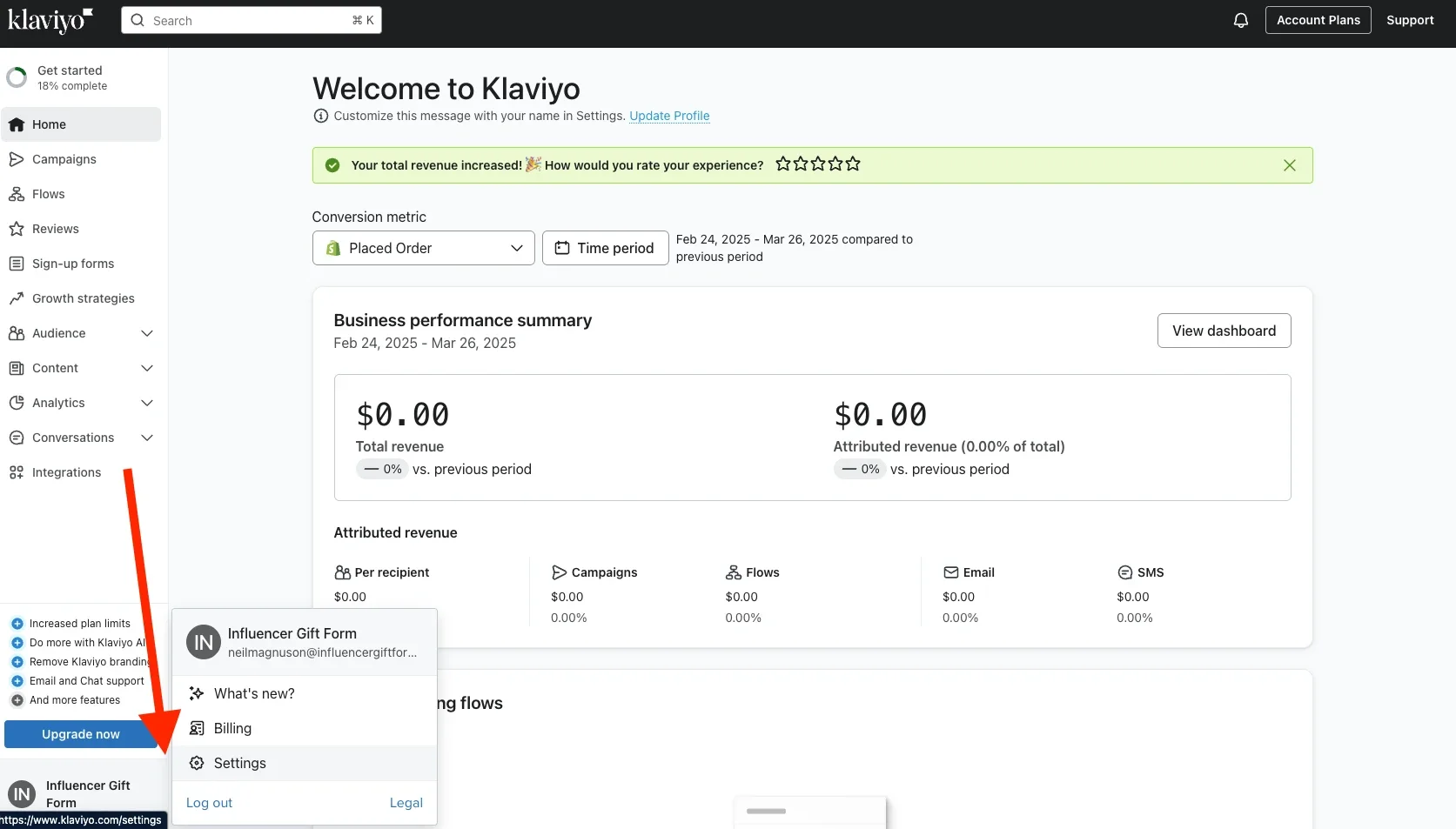
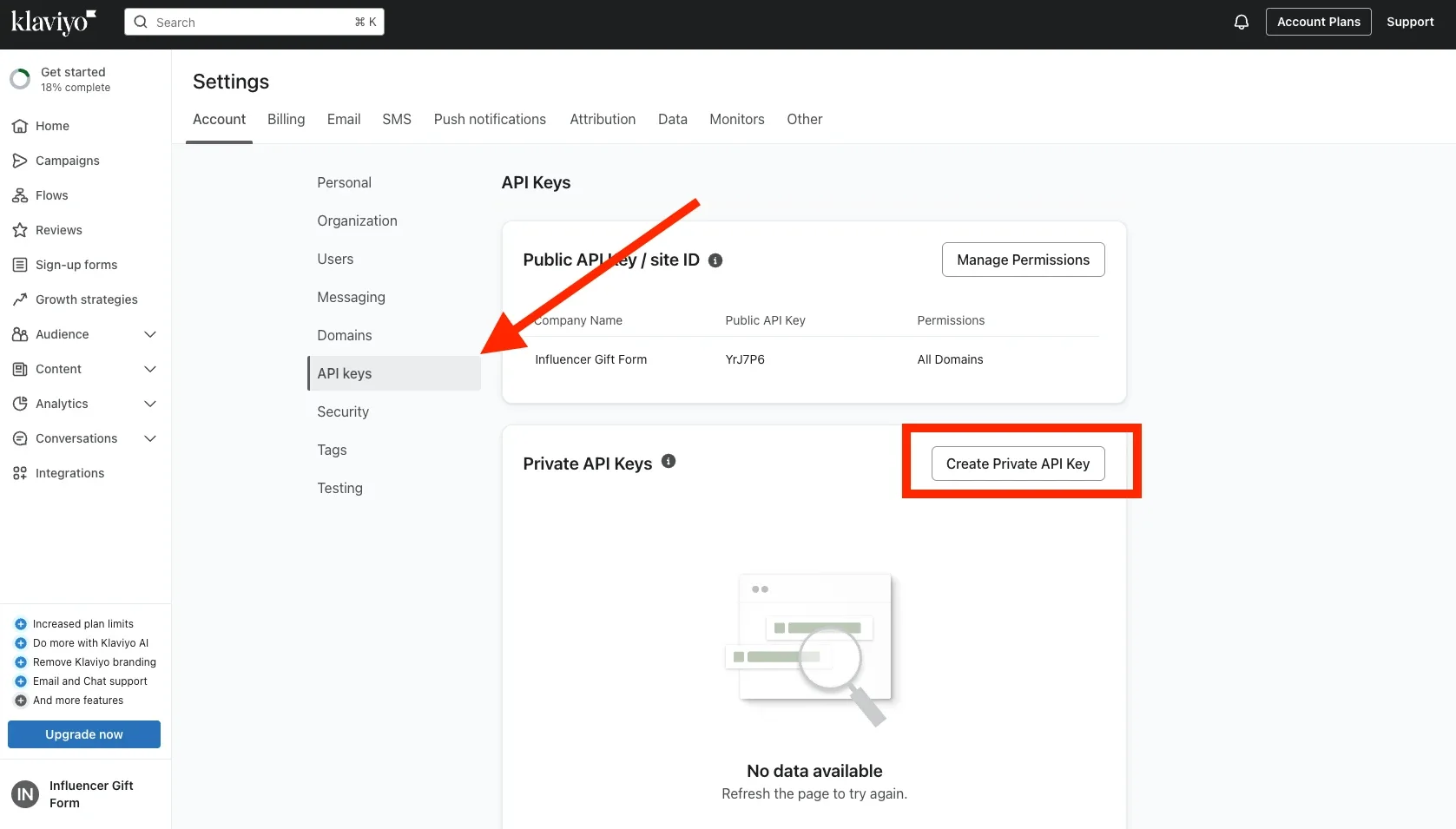
In the bottom left of Klaviyo, click your profile icon → Settings. Open the API Keys tab, then click Create Private API Key.
Set the right permissions
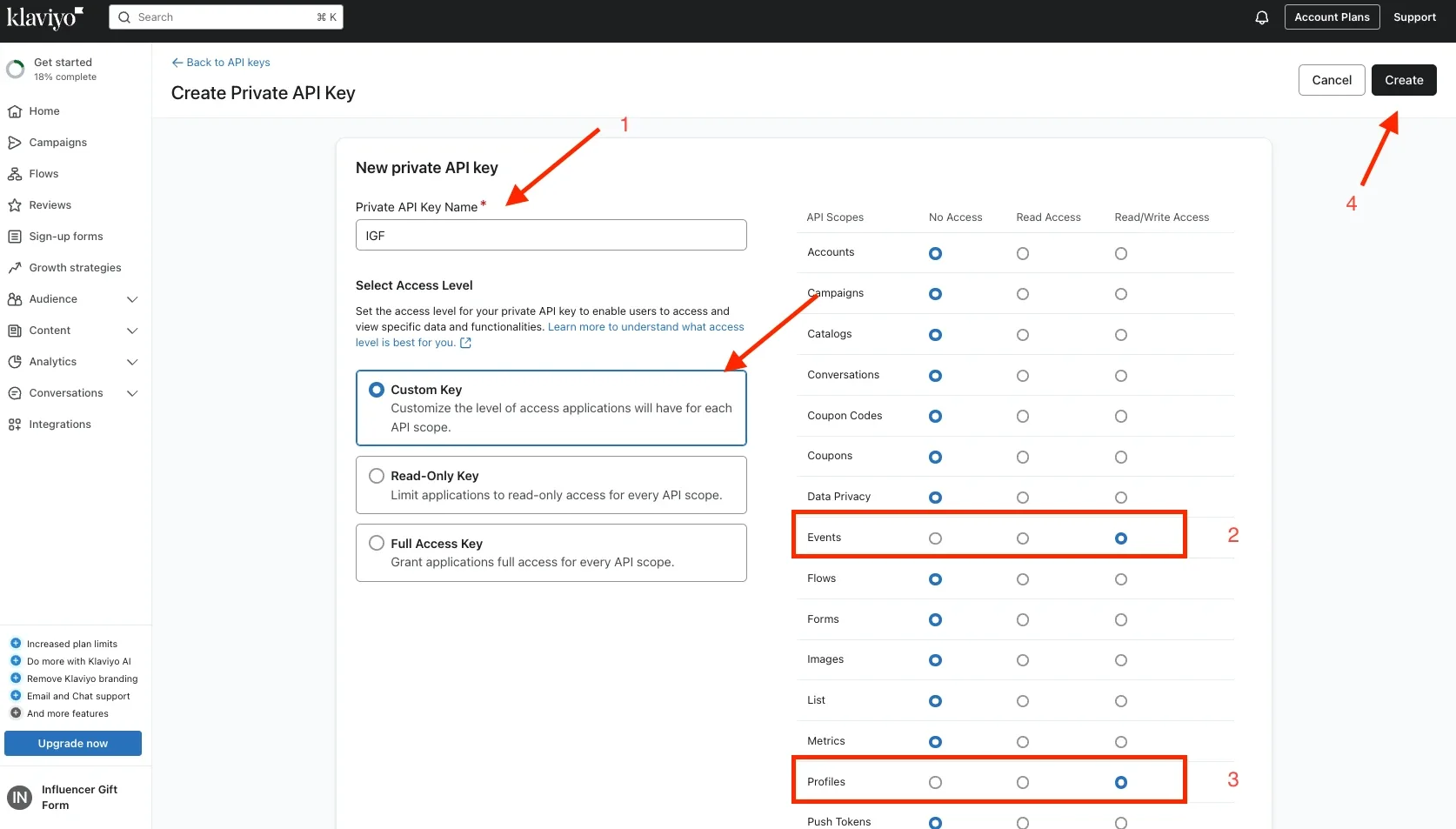
Choose Custom Key and name it something like "IGF". Set these permissions:
- Events → Read/Write Access
- Profiles → Read/Write Access
Click Create and copy your API key — you won't be able to see it again.
Connect your key in IGF
Open your Influencer Gift Form dashboard, go to Settings → Klaviyo Integration, and paste your new Klaviyo API key into the field.
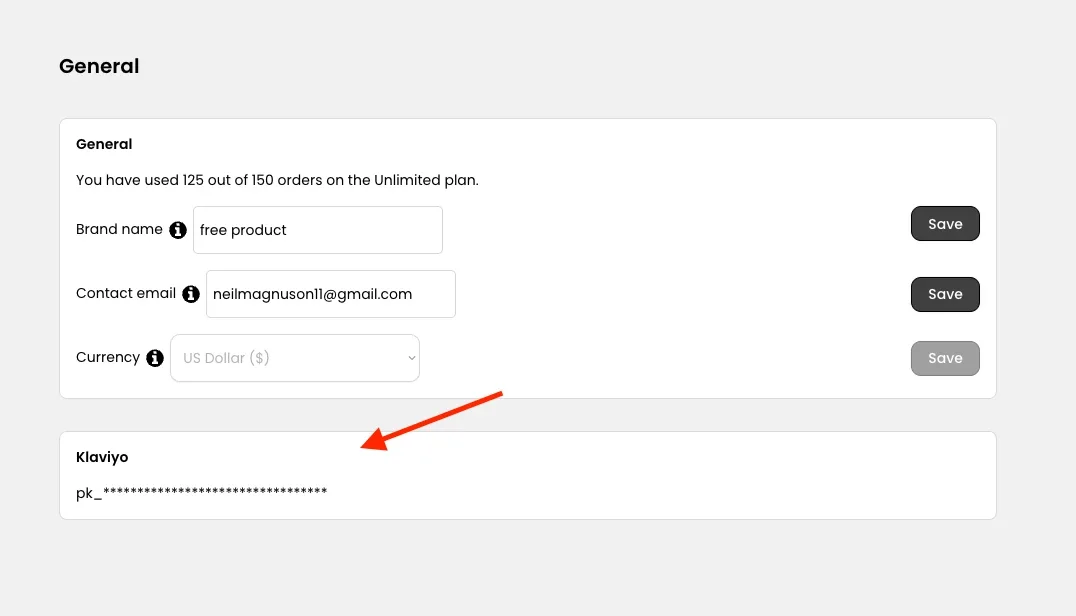
Enable Klaviyo on your form
Navigate to the Form, go to Settings → Email, and enable Klaviyo.
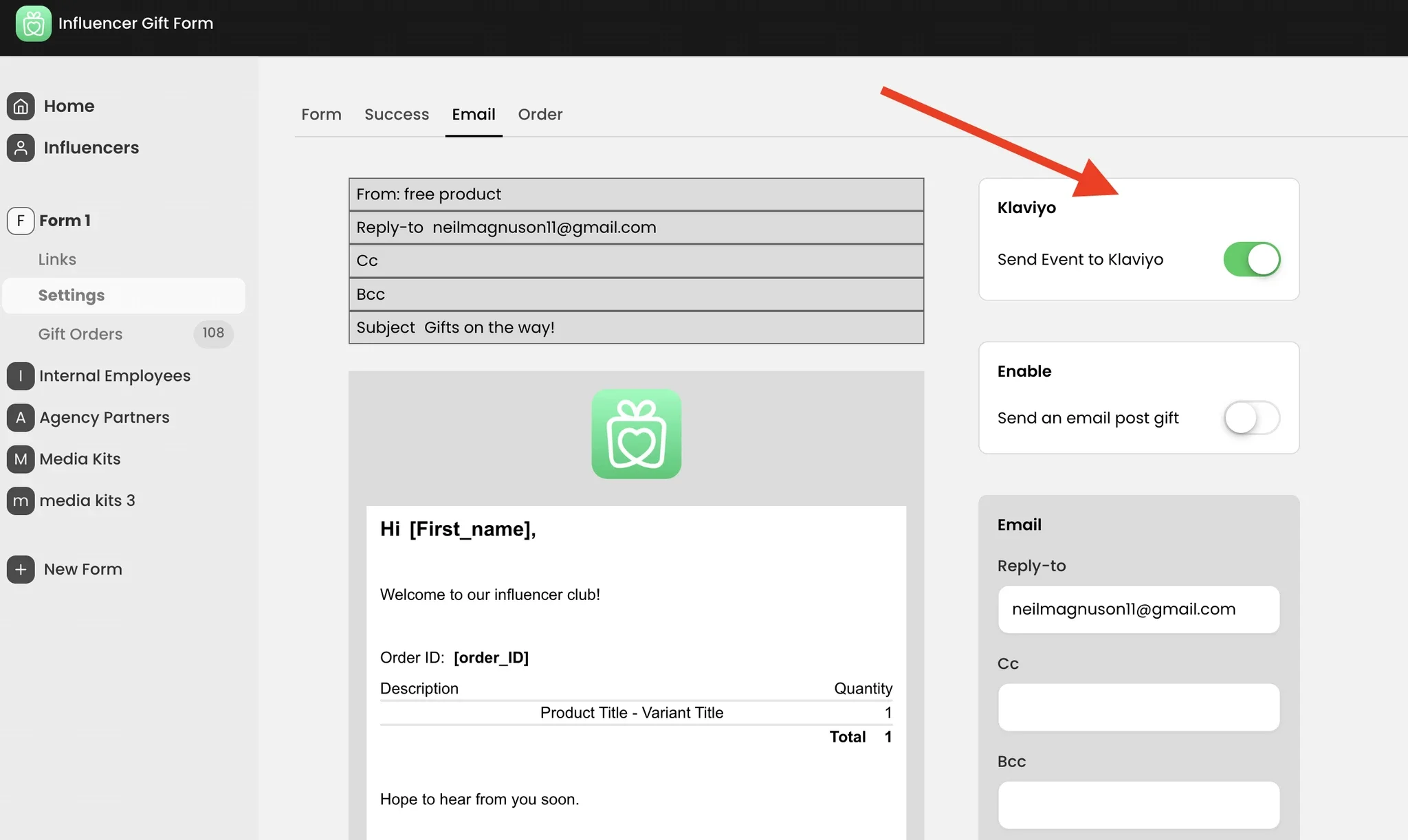
That's it — your post-gift emails now flow through Klaviyo. Test it by submitting your form once and watching the event appear in Klaviyo.
How it works behind the scenes
Every time a form is submitted, IGF triggers a custom Klaviyo Event (e.g. "Influencer Order Placed"). The event includes metadata you can build conditional logic on:
- Form Name — e.g. "Fall 2025 Campaign"
- Form Type — e.g. "Influencer", "Internal"
Use these properties inside your Klaviyo flows to branch behavior per campaign or audience.
What you can do with this
- Send different post-gift emails based on the form type
- Add influencers to specific lists or segments
- Trigger follow-up flows for internal employees
- Stop using Postmark or native emails entirely (optional)

Watch the full walkthrough
A 5-minute video walking through every step of the Klaviyo connection, start to finish.